

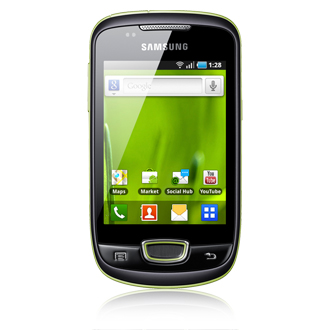
Internal Memory is always a big headache in low mid range devices. Internal Memory is very important in any android device as most of the apps store cache in internal memory only. XDA Member Doc_cheilvenerdi.org comes with hack that increase the Internal memory of Samsung Galaxy mini S5570. This method works on Rooted as well non Rooted phones. Remember you need Stock firmware installed on the phone.
Instructions to Increase Internal Memory:
- Use Mini Tool Partition Wizard to create the two primary partitions of your SDcard (FAT32 and EXT4). Suppose you’ve 2GB of card, than create 512 MB of ext4 partition and remaining disk space should be used as FAT32 partition.
- Download ODIN and TASS.ops for Odin in your computer
- Type this number *#1234# on your phone and note down the PDA code of the firmware installed on your phone
- Based on above PDA code, choose boot image suitable for your firmware
- PDA=S5570XXKPF (2.3.3)
- PDA=S5570AIKQ3 (2.3.4)
- PDA=S5570DXKPD (2.3.4)
- PDA=S5570JPKQ8 (2.3.4)
- PDA=S5570XIKQC (2.3.4)
- PDA=S5570XXKPI (2.3.4)
- PDA=S5570XXKPK (2.3.4)
- PDA=S5570JPKS1 (2.3.5)
- PDA=S5570XWKS2 (2.3.5)
- PDA=S5570XWKS7 (2.3.5)
- PDA=S5570XXKS4 (2.3.5) (NEW)
- PDA=S5570DDKQ7 (2.3.6)
- PDA=S5570JVKT1 (2.3.6)
- PDA=S5570LWMKPJ (2.3.6)
- PDA=S5570LWMKPO (2.3.6) (NEW)
- PDA=S5570XWKT7 (2.3.6)
- Reboot your phone in download mode (Press Volume down key + OK button + Power button)
- Now Start ODIN in your computer and connect your phone to computer using USB cable.
- Now Flash the downloaded boot image into your phone with ODIN using below image for example overview. Click “Start”

- the phone will restart once the process is completed.



Hi this is good but when using this boot image my phone wifi disabled
my pda is not in the list S5570DDKA7… PLEASE HELP ME
my pda is S5570JPKC1 please tell me what to do thank you
Good work ! ! REAlly appreciate it..! thank you ! :D
i ve got PDA S5570DDKA6
i am using galaxy pop
plz help…
my pda is not here..
what now??
my pda is S5570JPKC1
plz tell me what to do?
Hi, would you know if this could also work on Samsung Galaxy Ace S5380?
Sorry, I meant S5830
hey……u r doin a wonderful job for us……thnks……..Pls tell that what partition i’ll hav to done if i hav 4GB SD card……u hav told for the 2GB.
hey! PDA=S5570DDKA7 Not in the list :(
Plz tell me why it not work on my phone i selected right pda S5570ddkq7 and create parition of micro sd 1004mb ext4 and 14.8 Fat32 but nothing happen and my microsd memory also waste 1 gb … plz help me
please direct the steps through my email it would be more helpful and i would be more greatful and very thanks for your work on increasing memory for this type of low end mobiles
hi! i have a galaxy mini. i want to hack my internal memory
can u explain a little better by email…..plz…plz….plz…plz
thanks
i m user of sAmsUng galaxy i5801. m alsO looking for increase(HACK) my internal memory, pleaSE help me thanks in advanced
my pda is not available!!!
Now what???
:(
Please comment out your PDA here…
My PDA is S5570XWKQ7, what can I do now????
hi, Did the partitions but the sd keeps damaging ……..also rooted the phone..But still no change…plz help..
I hv tried it on the following steps,, after pertitioning its still same!! What should i do??
it doesnot work on my galaxy pop…………..
did it in my mini but memorys still the same …followed the procedure 8 – 10 times ,but no change..plz help
Please create two partition in your SDcard (FAT32 and EXT4)
use this tool if you don’t know how to do this http://forum.xda-developers.com/wiki/SD_card_partitioning
If there are the same kind of steps exists for increasing internal memory for my Samsung Galaxy 3 (i5801), let me know.
thanx
I’ll notify you, if such method available for your device.