Google Play Movies also available in India
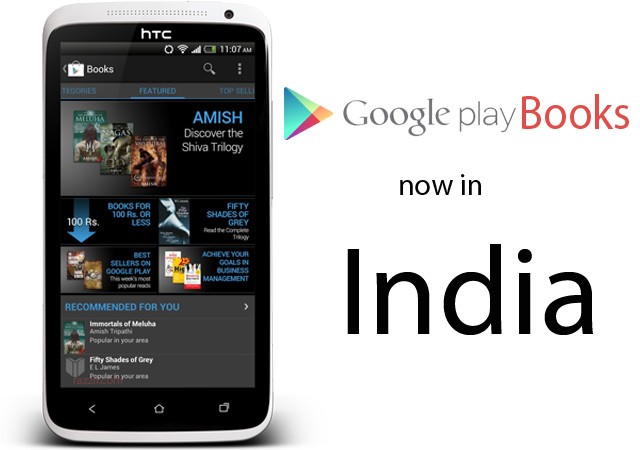
Google has started rolling out Google Play Books in India. It means you can able to buy/rent books through Google Play store.
Google Play is a new way to discover, buy, and enjoy your favorite books, online and offline. You can read books on Google Play from your computer, your Smartphone, tablet or your eReader device.
You can able to access all your books wirelessly in one place. All the books you purchased are stored in the digital cloud. Both Free & Paid books are available in the Google Play Store.
[quote_center]If Play Store isn’t showing books, Please Clear data from Settings.[/quote_center]
Books are available in two popular formats: EPub and PDF.
ePub: ePub is an open-standard file format for digital books. The benefit of the ePub format is that it allows a book’s text to adjust or “reflow” automatically to different screen sizes, including netbooks and e-reader devices.
PDF: PDF is a file format which presents the book in its original layout and visual formatting. These files are generally larger in size.
How to buy Books:
The Method is same as buying apps from Google Play Store. Just go to the book section in play store, choose/search your favorite book and download it right on your device. The books will be available to all devices which are connected to your Google account. Use Google Play Books android app to read books on your device. You can find download link from below widget.
But the real problem is Most of the Indian users use Debit Card for Online Purchased and None of the Indian Cards are working in Play Store. I hope Banks & Google will resolve this issue soon.
You can also access the books through Google Play Store Web Interface.
[app]com.google.android.apps.books[/app]
Google Play Movies also available in India
Google has started rolling out Google Play Books in India. It means you can able to buy/rent books through Google Play store.
Google Play is a new way to discover, buy, and enjoy your favorite books, online and offline. You can read books on Google Play from your computer, your Smartphone, tablet or your eReader device.
You can able to access all your books wirelessly in one place. All the books you purchased are stored in the digital cloud. Both Free & Paid books are available in the Google Play Store.
[quote_center]If Play Store isn’t showing books, Please Clear data from Settings.[/quote_center]
Books are available in two popular formats: EPub and PDF.
ePub: ePub is an open-standard file format for digital books. The benefit of the ePub format is that it allows a book’s text to adjust or “reflow” automatically to different screen sizes, including netbooks and e-reader devices.
PDF: PDF is a file format which presents the book in its original layout and visual formatting. These files are generally larger in size.
How to buy Books:
The Method is same as buying apps from Google Play Store. Just go to the book section in play store, choose/search your favorite book and download it right on your device. The books will be available to all devices which are connected to your Google account. Use Google Play Books android app to read books on your device. You can find download link from below widget.
But the real problem is Most of the Indian users use Debit Card for Online Purchased and None of the Indian Cards are working in Play Store. I hope Banks & Google will resolve this issue soon.
You can also access the books through Google Play Store Web Interface.
[app]com.google.android.apps.books[/app]