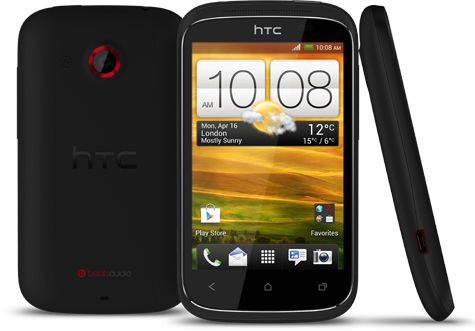
HTC Desire C is the budget phone running on Android 4.0 ICS and Sense 4.0. The phone has 3.5” LCD, 600 MHz processor with 512 MB of RAM. Because of low processor, phone may lag. To remove the phone lag you need to remove bloatware from your system and it’s possible only if you Root your phone. Modaco posted the Superboot image file for Desire C. This will not only root your phone but also install SU and superuser APK. Before proceeding with instructions, you’ve to unlock bootloader from htcdev.com. Easies Method to Root HTC Desire C.
[box] 10 Must have Android Apps for Rooted users[/box]
Advantage of Rooting:
- You Can remove all junky system apps that you don’t want to use.
- You can install clockwork recovery mode (CWM)
- You can install any ROM on your phone.
- Improved the performance of the phone.
[box type=”warning”] Rooting phone will void your warranty or may cause damage to your phone. Please read the instructions carefully. Razzil will not be responsible for any damage.[/box]
Requirements:
- Unlock Bootloader, follow guide here
- Download Superboot r1
- Backup phone if anything wrong happens.
Instructions to Root HTC Desire C:
- Make sure you already unlock your bootloader
- Download r1-golf-superboot.zip file from the link above and extract it to your computer
- Turn off the phone and then start the phone in bootloader mode by holding ‘volume up’ and ‘volume down’
- When you’re in bootloader, now open superboot directory and execute following files depends on your OS:
WINDOWS – double click ‘install-superboot-windows.bat‘
MAC – Open a terminal window to the directory containing the files, and type ‘chmod +x install-superboot–mac.sh‘ followed by ‘./install-superboot–mac.sh‘
LINUX – Open a terminal window to the directory containing the files, and type ‘chmod +x install-superboot–linux.sh‘ followed by ‘./install-superboot–linux.sh‘
- Now Reboot your device.
Kudos you’ve successfully Rooted HTC Desire C.




it wont work. command prompt just closes right away.