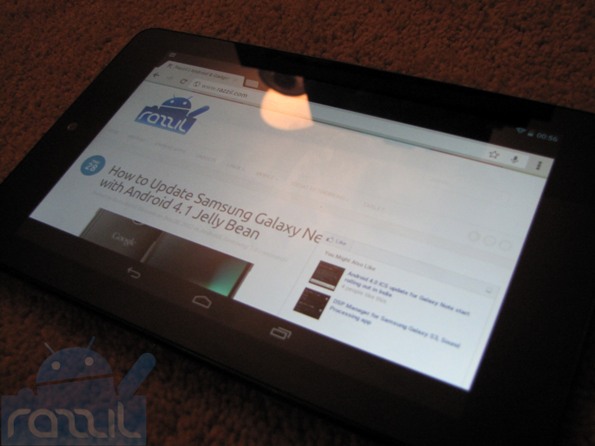
Nexus 7 gets root access and it hasn’t even been released yet. Yeap that the specialist of developer community. birdman developer at rootzwiki has rooted the Nexus 7.
Before start Rooting process, you must unlock bootloader and flash cwm recovery on it. All these methods requires Android SDK. The method is slightly complicated and you must know the basic knowledge of Rooting. Below is the step-by-step guid to Root and Install CWM on Google Nexus 7:
Advantage of Rooting:
- You Can remove all junky system apps that you don’t want to use.
- You can install clockwork recovery mode(CWM)
- You can install any ROM on your phone.
- Improved the performance of phone.
Rooting phone will void your warranty or may cause damage to your phone. Please read the instructions carefully. Razzil will not be responsible for any damage.
Requirements:
- Download & Install Android SDK
- Enable USB Debugging(Settings > Developer Options)
- Download CWM
- Download SU
Instructions to Unlock Bootloader:
- Connect Nexus 7 with PC via USB cable
- Open Terminal/Command Prompt and navigate to fastboot folder (platform-tools)
- Reboot your device to the bootloader, Type “adb reboot bootloader”
- Once your device in bootloader, now unlock your device by typing “fastboot oem unlock”
Flash ClockworkMod Recovery:
- You should be in bootloader if not type “adb reboot bootloader” to reboot your device to the bootloader
- Flash CWM image by entering command in cmd/terminal “fastboot flash recovery CWM-grouper-recovery.img”
- reboot device by entering: “fastboot reboot”
Make clockworkMod Recovery permanent:
- After flashing recovery, boot device into recovery
- Now select “mounts and storage” and then “mount system
- Open a compand prompt and navigate to fastboot foloder. Enter following commands:
adb shell
cd /system
mv recovery-from-boot.p recovery-from-boot.bak
NOTE: If adb shell is not working, try ‘adb kill-server’ then ‘adb start-server’
Gaining Root access in Nexus 7:
- Download JB-SuperSU.zip and place it to root of your sdcard
- Reboot your device to ClockworkMod recovery (Shutdown device, now press & hold Volume Up, Volume Down and Power buttons)
- Navigate to “Install zip from sdcard” and then “choose zip from sdcard”, select JB-SuperSU.zip
- Once done, go to main menu and select “reboot system now”.
For any queries, Visit Rootzwiki page.
Nexus 7 gets root access and it hasn’t even been released yet. Yeap that the specialist of developer community. birdman developer at rootzwiki has rooted the Nexus 7.
Before start Rooting process, you must unlock bootloader and flash cwm recovery on it. All these methods requires Android SDK. The method is slightly complicated and you must know the basic knowledge of Rooting. Below is the step-by-step guid to Root and Install CWM on Google Nexus 7:
Advantage of Rooting:
- You Can remove all junky system apps that you don’t want to use.
- You can install clockwork recovery mode(CWM)
- You can install any ROM on your phone.
- Improved the performance of phone.
Rooting phone will void your warranty or may cause damage to your phone. Please read the instructions carefully. Razzil will not be responsible for any damage.
Requirements:
- Download & Install Android SDK
- Enable USB Debugging(Settings > Developer Options)
- Download CWM
- Download SU
Instructions to Unlock Bootloader:
- Connect Nexus 7 with PC via USB cable
- Open Terminal/Command Prompt and navigate to fastboot folder (platform-tools)
- Reboot your device to the bootloader, Type “adb reboot bootloader”
- Once your device in bootloader, now unlock your device by typing “fastboot oem unlock”
Flash ClockworkMod Recovery:
- You should be in bootloader if not type “adb reboot bootloader” to reboot your device to the bootloader
- Flash CWM image by entering command in cmd/terminal “fastboot flash recovery CWM-grouper-recovery.img”
- reboot device by entering: “fastboot reboot”
Make clockworkMod Recovery permanent:
- After flashing recovery, boot device into recovery
- Now select “mounts and storage” and then “mount system
- Open a compand prompt and navigate to fastboot foloder. Enter following commands:
adb shell
cd /system
mv recovery-from-boot.p recovery-from-boot.bak
NOTE: If adb shell is not working, try ‘adb kill-server’ then ‘adb start-server’
Gaining Root access in Nexus 7:
- Download JB-SuperSU.zip and place it to root of your sdcard
- Reboot your device to ClockworkMod recovery (Shutdown device, now press & hold Volume Up, Volume Down and Power buttons)
- Navigate to “Install zip from sdcard” and then “choose zip from sdcard”, select JB-SuperSU.zip
- Once done, go to main menu and select “reboot system now”.
For any queries, Visit Rootzwiki page.