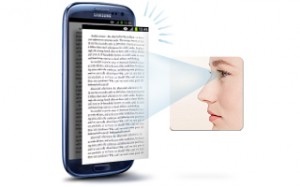
One of the most attractive and useful feature I found in Samsung Galaxy S3 is Smart Stay feature which make sure that your phone display does not turn off automatically. Smart Stay uses front facing camera to automatically recognize when you’re looking at the phone. This is a great feature and very useful when you’re reading ebook or browsing web pages. This features yet to be ported to other phone like S Voice or Popup Play which is already available to other phone.
But here is the good news for non-human who uses android phone, Marco Roccagli brings ‘ISeeYou’ application which works similar like smart stay and can be installed to any android phone. Remember You need Front facing camera to use this application. I tested the application and it works pretty well but use this app only when you really requires because it may drain your battery faster.
The application is available in two version lite and pro. Lite version is pretty basic, while pro version which is very cheap allow you to customize the standard settings such as the scan poll and max scan time.
Unfortunately the application is available for Android 4.0 Ice Cream Sandwich only. but good news is that you’ll get Smart Stay functionality to any Android device.
Download lite version:
[app]com.iseeyoulite[/app]
Download Pro version:
[app]com.iseeyoupro[/app]




Awesome man! I am definitely going to try this within next 5 min :) :)