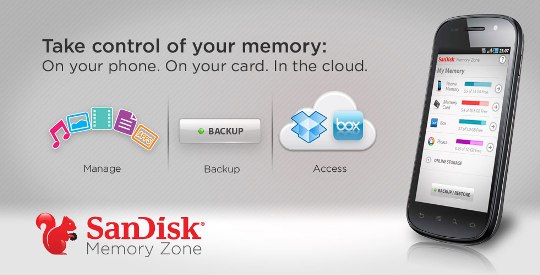
Powerful memory management app of Android has landed on Android Market. SanDisk Memory Zone is All in one memory management app which take control of your phone memory, SD card memory and online storage. The app lets you backup/restore data on your phone memory to the SD card or cloud storage.
You can move files from your phone internal memory to SD card and also allows you to secure them through a password protection feature. The app supports transferring data to/from cloud storage services including Dropbox, Picasa, Google Docs and Box.net.
You can add cloud storage service by supplying username and password and once connected you can see the memory bar on your apps home screen. With this app user manage music, photos, videos, docs and app separately in the tab.
Below video demonstrate the working of app.
[iframe: width=”540″ height=”304″ src=”http://www.youtube.com/embed/YwfSmwIdSpk?rel=0″ frameborder=”0″ allowfullscreen]
The app require Android 2.2 or higher to run and available free on Android Market.
Download from Android Market
Powerful memory management app of Android has landed on Android Market. SanDisk Memory Zone is All in one memory management app which take control of your phone memory, SD card memory and online storage. The app lets you backup/restore data on your phone memory to the SD card or cloud storage.
You can move files from your phone internal memory to SD card and also allows you to secure them through a password protection feature. The app supports transferring data to/from cloud storage services including Dropbox, Picasa, Google Docs and Box.net.
You can add cloud storage service by supplying username and password and once connected you can see the memory bar on your apps home screen. With this app user manage music, photos, videos, docs and app separately in the tab.
Below video demonstrate the working of app.
[iframe: width=”540″ height=”304″ src=”http://www.youtube.com/embed/YwfSmwIdSpk?rel=0″ frameborder=”0″ allowfullscreen]
The app require Android 2.2 or higher to run and available free on Android Market.
Download from Android Market