

















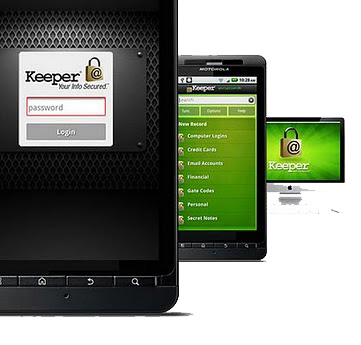
Security is always big concerns in Smartphones, Everyday new Trojan release to hijack your data and Android is the favorite OS. Keeper for Android allow users to keep its private data safe at one place. Keeper safeguard your passwords and private information on your Android device by using military-grade AES encryption. You’ve to create one master password to access your information. The Keeper is available for most of the mobile operating system and it allow you to sync your data to all your devices.
You can login to your favorite site with one touch or keeper help you to generate secure password for your new account. If someone entered wrong password more than 5 times, Keeper will automatically wipe all your data. This feature is optional and you’ve to enable it from settings.
Features of Keeper for Android:
- Generate secure & different password for different sites
- Using 128-bit AES encryption
- Instantly search records
- No limit on the number of records you store
- Sync data to all devices (Paid feature)
- Cloud backup (Paid Feature)
- Back up to Keeper’s Cloud Security Vault™ or to your computer (Paid Feature)
- Wiping out all of its content after five failed password attempts
- Remotely denoted all data


You can enjoy Paid version at no charge for 30 days and after 30 days, you’ve to upgrade with 1 $9.99 payment for annual subscription.
[app]com.callpod.android_apps.keeper[/app]