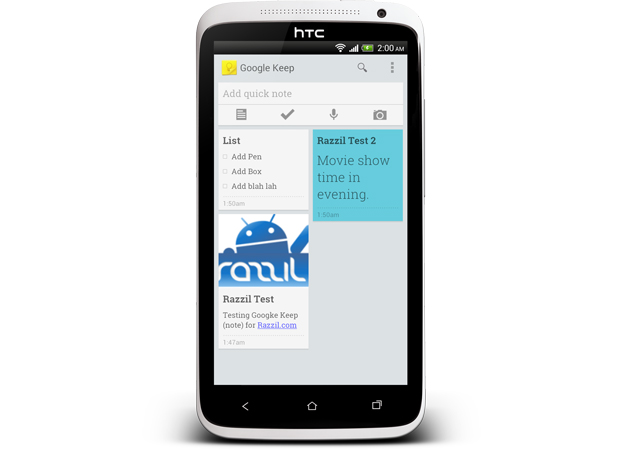
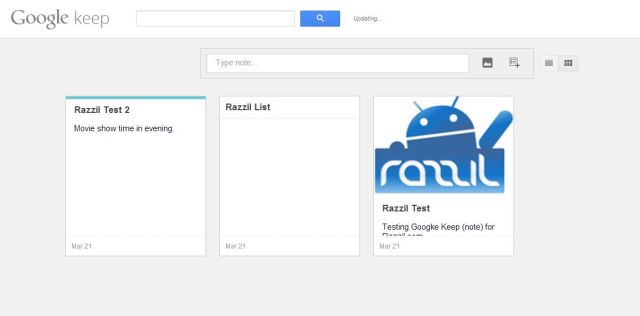
Google has unveiled its new Note-Taking service, Google Keep. Google Keep allow user to quickly take any note as it struck on your mind. Create a checklist, enter a voice note or snap a photo and annotate it. Everything you add is instantly available on all your devices – desktop and mobile. You can access Google keep using url https://drive.google.com/keep/.
Features:
- Create Notes, lists and photos right from the app
- Have voice notes transcribed automatically
- Use homescreen widgets to capture thoughts quickly
- Color-code your notes to help find them later
- Swipe to archive things you no longer need
- Turn a note into a checklist by adding checkboxes
TIP: Tap on Google Search Voice Button and speak “take note <your thought>” for e.g ‘take note Get cheque from office’.
Google Keep requires Android 4.0 and up and it can be downloaded free from below widget. For Android 4.2+, the lock screen widget is also available to quickly access the app.
[app]com.google.android.keep[/app]
Google has unveiled its new Note-Taking service, Google Keep. Google Keep allow user to quickly take any note as it struck on your mind. Create a checklist, enter a voice note or snap a photo and annotate it. Everything you add is instantly available on all your devices – desktop and mobile. You can access Google keep using url https://drive.google.com/keep/.
Features:
- Create Notes, lists and photos right from the app
- Have voice notes transcribed automatically
- Use homescreen widgets to capture thoughts quickly
- Color-code your notes to help find them later
- Swipe to archive things you no longer need
- Turn a note into a checklist by adding checkboxes
TIP: Tap on Google Search Voice Button and speak “take note <your thought>” for e.g ‘take note Get cheque from office’.
Google Keep requires Android 4.0 and up and it can be downloaded free from below widget. For Android 4.2+, the lock screen widget is also available to quickly access the app.
[app]com.google.android.keep[/app]